
Open Menu
Home
Apps
Games
Articles
Additional Information
Category
Tools
Version
V2.2.58
Tag
barcodes | barcode | android
Rate
4.8
Reviews
60177
Installs
500,000,000+
Developer
Gamma Play
Content Rating
Everyone
The fastest QR code reader and Barcode scanner.
Pedometer logo
QR & Barcode Scanner
 App Download 4.80
Tools
About This App
  • Package Name

    com.gamma.scan

  • Version Name

    V2.2.58

  • Version Code

    172

  • File Size

    10.59 MB

  • System

    Android 4.4+ (Kitkat, API 19)

  • Update time

    2023-01-01

Screenshots
screenshot screenshot screenshot screenshot
Author's Review
Apkseeker Review
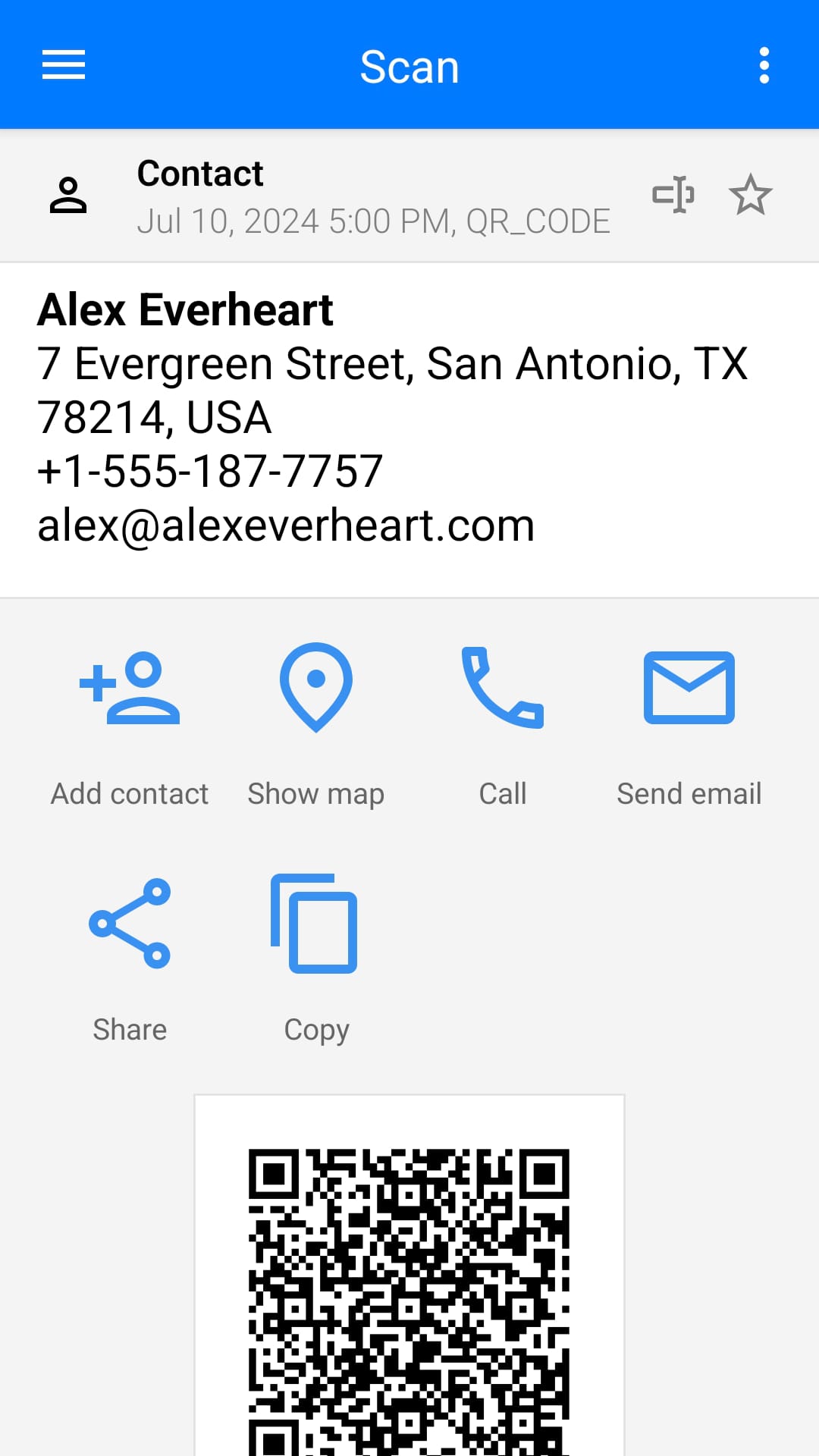
Have you ever noticed those peculiar square barcodes or intricate QR codes appearing on items, advertisements, or even personal cards? These codes contain a substantial amount of data, yet interpreting them necessitates a QR & Barcode Scanner application. Such applications convert your smartphone's camera into an efficient decoding instrument, revealing the data concealed within these visual symbols. Envision using your phone to scan a QR code on a restaurant's menu and immediately accessing the digital version. Or consider scanning a product's barcode to compare prices online prior to purchasing. QR & Barcode Scanner applications enable you to engage with your surroundings in an innovative manner, providing instant access to information, exclusive deals, and engaging experiences.
Essential Characteristics and Advantages
In addition to standard QR and barcode scanning capabilities, these applications provide a wealth of features. Firstly, they offer comprehensive decoding, capable of processing various types of codes, such as QR codes, conventional barcodes (including UPC, EAN, ISBN), and data matrix codes. This versatile approach negates the requirement for multiple scanning tools. Secondly, they ensure smooth integration, enabling scanned codes to instantly open web pages, show contact details, establish Wi-Fi connections, or perform language translations. This automation reduces the need for manual input, thus conserving time and effort. Lastly, while full functionality often depends on internet access, certain applications permit offline scanning and storage of decoded data for future use. This feature proves particularly beneficial in areas with unstable internet connections.
Initiating QR and Barcode Scanning
Utilizing a QR and barcode reader application is remarkably straightforward. Begin by installing a reputable application from your device's app store, with many available at no cost or offering a freemium model with optional in-app purchases. Once installed, launch the application and position your smartphone's camera toward the QR code or barcode you intend to scan. The application will promptly recognize and interpret the code, displaying the relevant information on your device's screen. Below are several common scenarios where a QR and barcode reader application proves beneficial:
Comparison Between QR and Barcode Reader Applications and Native Camera Functions
Many modern smartphones now incorporate QR code scanning capabilities directly into their native camera applications. This raises the question: is there still a need for a specialized QR & Barcode Scanner app? Firstly, dedicated applications typically provide a broader spectrum of decoding options, accommodating various barcode formats and offering supplementary functionalities such as automated actions post-scan, including opening URLs or translating text. However, these apps may also present drawbacks, such as frequent advertisements in their free versions or the need for in-app purchases to access advanced features. In conclusion, while the built-in camera features on smartphones may be adequate for occasional QR code scanning, dedicated QR & Barcode Scanner apps deliver a more comprehensive set of tools and a smoother user experience. For those who regularly engage in code scanning, investing in a specialized app is advisable.
The Latest Developments and Future of QR & Barcode Scanning Technology
The realm of QR and Barcode Reader technology is continually advancing. Recent updates have concentrated on enhancing scanning precision and incorporating functionalities such as the management of barcode history. In the future, we can anticipate further progress in several key areas: 1. Improved Security Measures: As QR codes grow in popularity, applications are likely to incorporate security scans designed to detect potentially harmful codes. 2. Seamless App Integration: Envision scanning a product code and having the application instantly locate discounts on e-commerce platforms. Greater integration with other applications is expected to simplify the post-scan experience. 3. Superior Decoding Abilities: With the emergence of new code formats, QR and Barcode Reader applications will likely continue to evolve, offering the capability to decode even the most intricate codes.
Discover a Universe of Data with QR & Barcode Reader Applications
Transforming Interactions: The Power of QR Code Technology
QR codes serve as a remarkable link between the tangible and virtual realms, offering endless interactive opportunities. With a simple scan, users can access exclusive digital content, engage in augmented reality activities, and even participate in museum treasure hunts. QR & Barcode Scanner applications provide the means to interact dynamically with the environment, enhancing everyday experiences with a touch of innovation. In our modern, data-driven world, these codes are becoming increasingly prevalent. A QR & Barcode Scanner app is your gateway to decoding this concealed information, opening up a realm of potential applications. Whether it's comparing product prices or diving into interactive content, these tools offer a seamless and multifunctional approach to engaging with your surroundings. Say goodbye to tedious data entry and welcome the convenience of QR & Barcode Scanner technology. Install an app now and uncover the information that awaits you.
Collpase
Download
Previous APK Versions
ZIP files containing Android App Bundles require a Split APKs Installer (e.g., SAI) from Google Play to install. Steps: 1.Download SAI from Google Play;2.Open SAI and tap "Install APKs";3.Locate and select your downloaded ZIP file;4.Grant the "Install Unknown Apps" permission if prompted;5.Wait for the process to complete.
V2.2.58
APK
Package Name
com.gamma.scan
Version Name
V2.2.58
Version Code
172
File Size
10.59 MB
Update time
2023-01-01
You Might Like
  • 01
    How do I install this app after downloading it?

    If you're an Android user and don't download the app from the official Google Play Store,you may find the installation process more complicated than usual.

    But we are delighted to inform you that you don't need to worry. To ensure you could install this app smoothly,we have written and uploaded a detailed tutorial. It would guide you on installing an app after downloading it from our website step by step,with the help of pictures.

    You may find this helpful article on the downloading site,or visit How to install APK/XAPK files on Android.

    If you need further help,please do not hesitate to contact us via email [email protected].

  • 02
    Is this app safe to use?

    We fully understand your concern about safety. We agree that one person wouldn't be too careful in the cyber world. Meanwhile,we are happy to tell you that one of our priorities is to provide our users with safe app files that they can use without any worries.

    We guarantee that all the app files we provided originate from official and reliable sources. We promise that they do not contain any malware that will harm your hardware or the safety of your privacy.

  • 03
    Is this app free to download?

    We are happy to inform you that the answer is an absolute YES! All the apps on our website are 100% free to download. Besides,you do not have to create an account. Just click on the download button,and it's done.

  • 04
    How do I find my account back?

    Recently we received a lot of emails from our users,which said they couldn't log in for different reasons,such as 'forgot the user name or password' or 'had a new phone.' We are willing to help you out. Please read the notes below to see what we can do.

    To answer this question,please first let us know which account you're referring to.

    If you're referring to your account of some app,like your Facebook account or your Youtube account. Unfortunately,we would not be able to help in this case. We would suggest you turn to the customer service of this application.

  • 05
    How do I cancel subscriptions?

    This question is essentially quite similar to the prior one. It's a pity that we are unable to help you to cancel the subscription to a third-party application directly,while we would suggest you to contact its customer service for further information.

  • 06
    How do I get a refund?

    Sorry that we are unable to help you to get a refund from a third-party application directly. If you wish to get a refund from a third-party app,we would suggest you to contact its customer service. We would be happy to provide you the way to contact them.

    If you want a refund from us,we should apologize for your confusion. Our service is 100% free,and any payment information is not required.

    If you run into any site that asks you to provide your payment information,be careful. Remember never reveal your payment information to any unauthorized third parties,no matter how attempting their offer may seem.

  • 07
    How to use this app?

    Sorry that we cannot answer this question directly,for this only aims to answer some general questions. You may find how to use a certain app by checking our review page.